OE number read from the label
A photo of the sticker is enough: Servavio reads the OE number, the manufacturer number and the cross-reference numbers, even from a dirty label. You retype nothing.
Allegro now, Ovoko soon
Numbers read from the label, part recognition, Allegro category and parameters, a list of matching cars and a ready description - in minutes instead of the better part of an hour. You check and publish, Servavio keeps watching the offer.
The pilot is free within the plan limits. Businesses only (B2B).
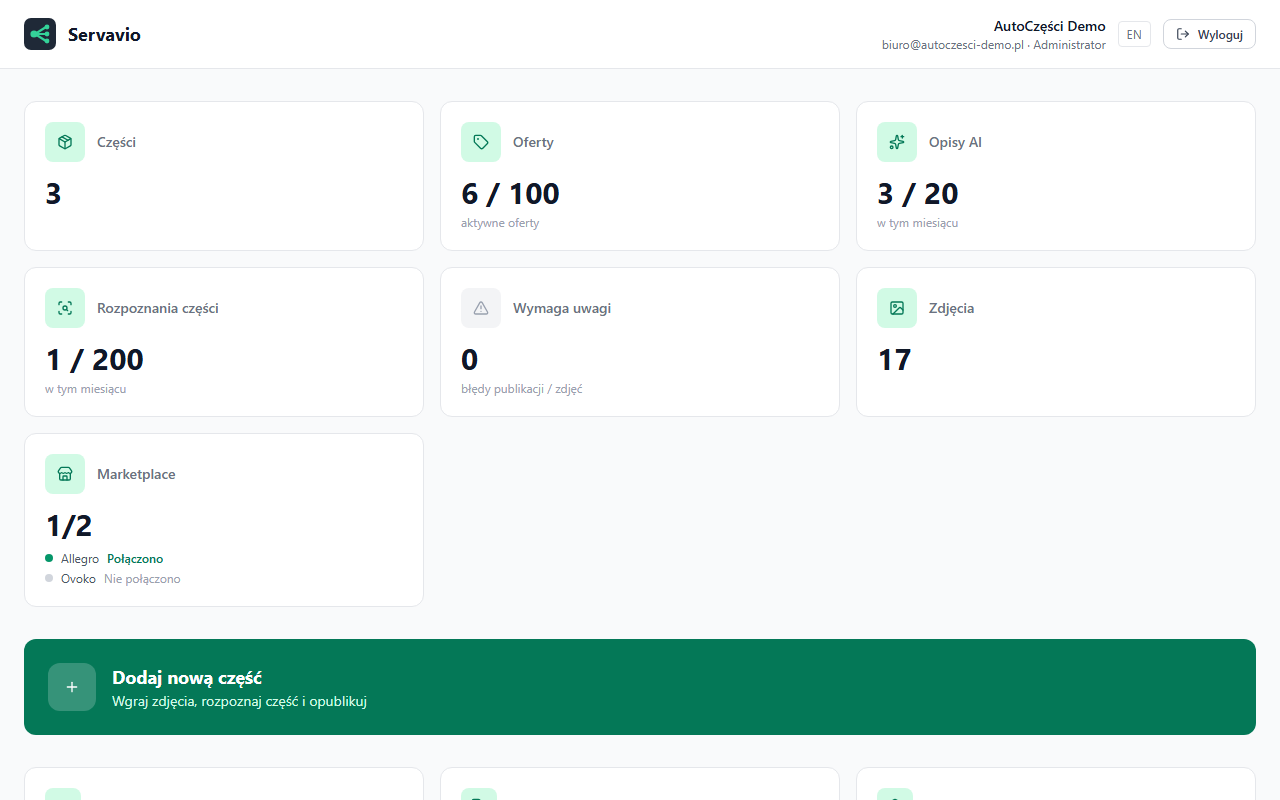
Four steps from a photo to a live offer. Every AI result is a proposal you check before publishing.
The part and its label, from a phone or a camera. Servavio reads the OE and manufacturer numbers straight off the sticker.
Part type, numbers, condition and Allegro category wait for your confirmation. You can link a product from the Allegro catalogue with one click.
An offer description in your style, the parameters the category requires and the list of car models the part fits - with sources.
The offer lands on your Allegro account. Servavio syncs the stock, resumes ended offers and makes sure nothing hangs without goods.
The four things that eat the most time when listing a part happen on their own. You only check the result.
A photo of the sticker is enough: Servavio reads the OE number, the manufacturer number and the cross-reference numbers, even from a dirty label. You retype nothing.
Servavio picks the Allegro category for the part type and fills in the parameters that category requires, so the offer is not rejected for a missing field. You link an Allegro catalogue product with one click.
A list of models, generations and engines the part fits, with sources. You confirm, Servavio fills in the Allegro compatibility section.
A description in your style with the numbers and the condition, and after publishing: stock sync, resuming ended offers and making sure nothing stays listed without stock.
For businesses that sell car parts, used and new, and lose hours to manual listing.
Hundreds of different parts from one donor car. Each one different, each one needing a number, photos, fitment and a description.
Manufacturer catalogues, many replacement numbers and the parameters Allegro requires in every category.
An employee prepares the offer, the owner checks it, sets the price and approves. Every change stays in the history.
Click a screenshot to enlarge it.
During the pilot you use Servavio for free within your plan's limits. Higher limits are agreed individually and invoiced with VAT. Online payments are not available yet.
| Free | Starterplan at registration | Professional | Business | |
|---|---|---|---|---|
| Active offers | 5 | 100 | 1,000 | unlimited |
| Users | 1 | 3 | 3 | 10 |
| AI descriptions per month | 5 | 20 | 100 | 500 |
| Part recognitions per month | 10 | 200 | 2,000 | 10,000 |
| Marketplaces | 1 (Allegro) | 1 (Allegro) | Allegro (Ovoko soon) | Allegro (Ovoko soon) |
| Support | - | priority | dedicated manager |
Nothing during the pilot - you use the limits of your plan. Higher limits are agreed individually and invoiced with VAT. The online price list arrives together with payments, announced 14 days ahead.
Yes. Servavio publishes offers on your business Allegro account through the official API, within the permissions you grant when connecting. A private account is not enough.
It can: a number may be misread and the car list may include a model the part does not fit. That is why every offer waits for your check and Servavio shows the fitment sources.
Allegro works today. The Ovoko integration is in preparation and will be announced in the panel. Further platforms come after the pilot.
On a server in Germany (netcup); photos and part data are processed by Google Gemini. Recipients and retention periods are in the privacy policy and the data processing agreement.
In Settings you download a data export and delete the account. Offers stay on Allegro. For the period stated in the privacy policy the account can still be restored, then the data is erased for good.
Yes. You upload a photo of the sticker on the part and Servavio reads the OE number, the manufacturer number and the cross-reference numbers. The reading is shown for your check, because a dirty or damaged label can give a wrong digit.
No. Servavio looks up which cars the part fits on its own and shows the sources of each match. The confirmed models go into the compatibility section of the Allegro offer.
Prefer to talk first? Leave an e-mail or a phone number. We reply within one business day, show you the panel on your own parts and answer your questions.
You can also write to us directly: admin@flowbity.com
Create a business account, connect Allegro and list your first part today.